
Back
Trojan Features: Copy Trading
Copy Trading on Trojan's terminal automatically mirrors the trades of any Solana wallet in real time.

Silo
March 6, 2026
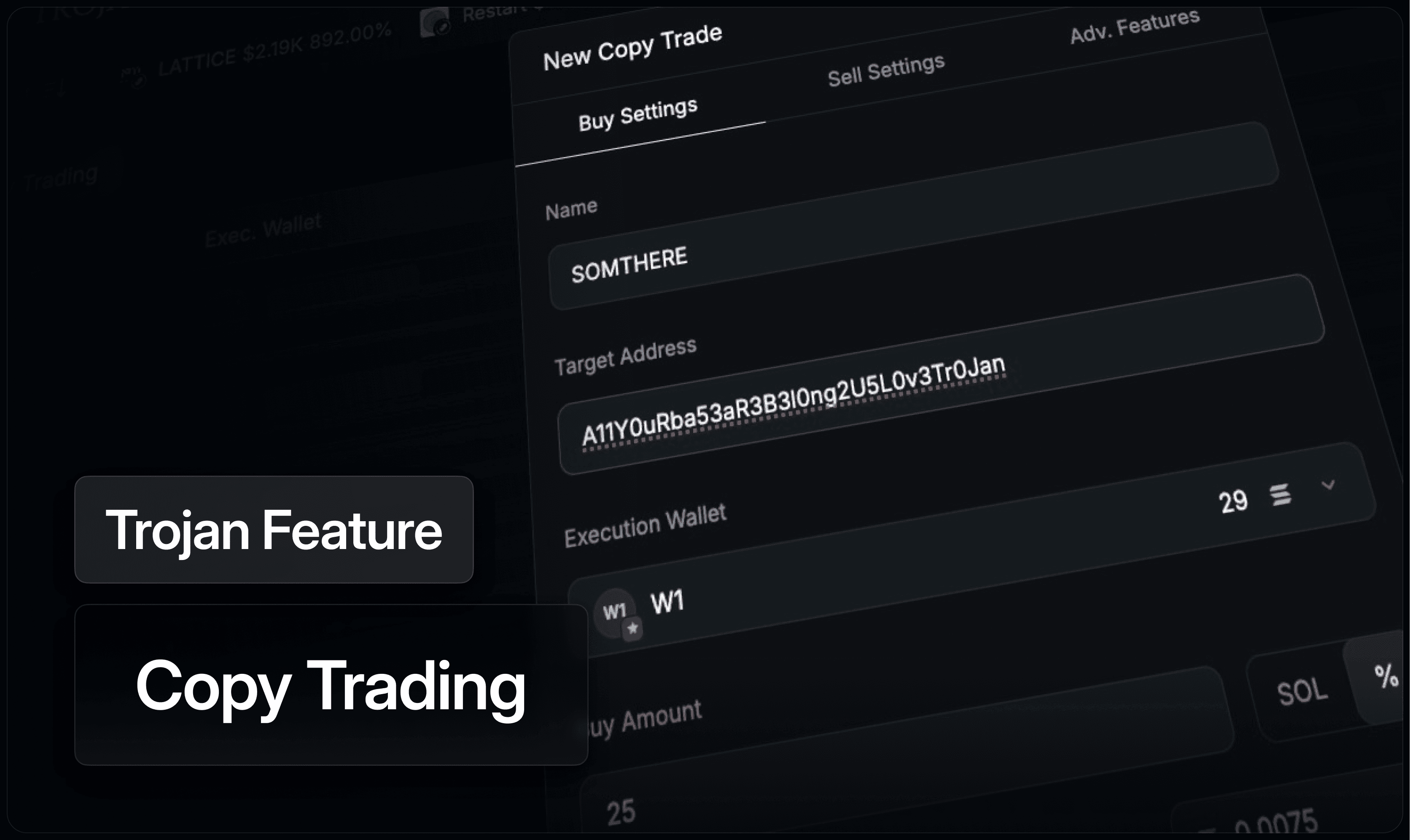
Synopsis
Copy Trading lets Trojan traders select any wallet on Solana and automatically replicate its buys and sells, with configurable buy amounts, exit strategies, and filters that control exactly what gets copied and how.
What Is Copy Trading?
Every trade on Solana is public. When a wallet buys early into a token, scales a position, or exits before a major move, that activity is all visible onchain. Copy Trading is Trojan's system for turning that public intel into automated execution.
Add a wallet to the Copy Trade system and Trojan monitors it continuously. When that wallet buys, the system executes a corresponding buy in your account. When it sells, the system mirrors the exit. The entire process runs automatically according to your configured settings, without requiring you to watch the wallet manually.
Setting It Up
Each Copy Trade is configured across three panels: Buy Settings, Sell Settings, and Advanced Features.
Buy Settings cover the essentials: target wallet address, execution wallet where funds are drawn from, buy amount, slippage tolerance, priority fee, bribe, and MEV protection. Buy amounts can be set as a fixed SOL value or as a percentage of whatever the tracked wallet spends, so your position sizes scale proportionally with theirs if preferred.
Sell Settings determine how exits are handled. When activated, Copy Sell mirrors the tracked wallet's sells automatically. As an alternative option, Auto Sell can set independent take profit and stop loss triggers on each copied position. Both options have their own priority fee, bribe, slippage, and MEV protection settings. Leaving both unchecked means you manage exits manually.
Advanced Features add filters to control what gets copied. Market cap range limits copies to tokens within a specific size bracket. Minimum liquidity filters out low-liquidity buys. Max Spend Per Buy caps total exposure per position when used alongside a percentage buy amount. Launchpad platform exclusions limit copies to tokens that have already migrated off bonding curves.
Choosing Wallets to Copy
Not every profitable wallet is worth copying. A wallet with strong total PNL might have gotten there on a single outlier trade rather than a repeatable strategy. Before adding a wallet to Copy Trade, Wallet Analyzer lets you review its full performance history, win rate, and PNL distribution to determine whether its approach is consistent enough to follow. Wallets can be imported directly from Analyzer into Copy Trade with a single click.
Connected to the Rest of Trojan
Copy Trading works alongside Wallet Tracker for ongoing monitoring of wallets you're following, and Wallet Analyzer for evaluating new candidates. Active Copy Trades can be paused, resumed, or edited individually or in batches from the Copy Trade management view. On Trojan, the step from identifying a wallet worth following to executing alongside it is as short as it can be.
With Bitcoin roots stretching back to 2016 and “full‑time” status since 2021, Silo blends data‑driven writing with cryptonative expertise. As Trojan’s communications lead, he covers everything from trading tools to referral rewards, meme coins to market caps. In his spare time he writes sci-fi and lore.
More Posts


© 2025 Trojan Trading. All rights reserved.
Systems Operational